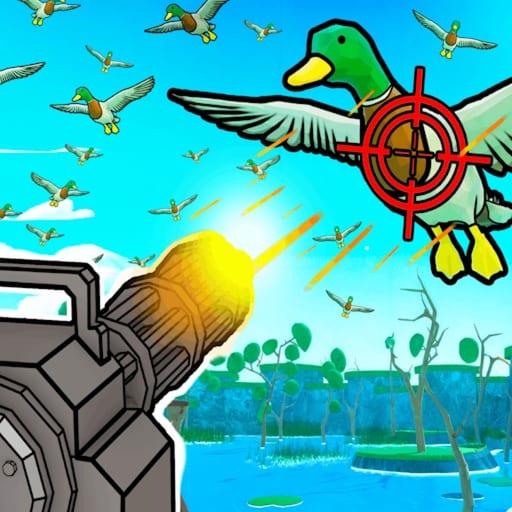
Catch 1 Billion Ducks Controls
PC binds, mobile HUD buttons, and sensitivity settings that keep flocks readable.
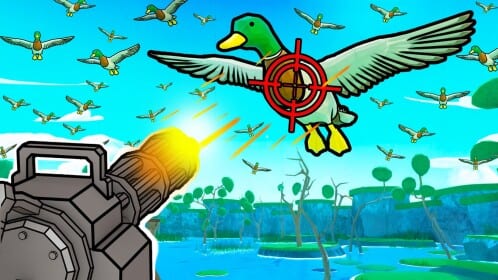
Catch 1 Billion Ducks keeps controls intentionally light, but the beta still punishes bad sensitivity and forgotten dog actions. This page is the input reference for PC and mobile so you can focus on the real skill: holding fire into flocks, selling on rhythm, and skipping into Boss Duck prepared.
For the full gameplay loop after your binds feel natural, continue with How to Play and Clear a Day Fast.
Official control summary
Billion Duck Hunters lists the experience controls as:
- PC: Left Click, Right Click, R, E
- Mobile: On-screen buttons
That short list covers the hunting fantasy: primary fire and alternate fire or aim-related click actions, reload or tool cycle on R, and interaction-style actions on E. Exact labels can shift in beta patches, so treat the on-screen prompts as truth if a tutorial key and your build disagree.
PC setup
- Join a solo server while learning.
- Move the camera until flocks cross screen center.
- Set sensitivity near four if the default flicks past every bird.
- Hold Left Click to spray into groups rather than single-tapping.
- Use Right Click as the secondary mouse action your build expects—practice once in a safe wave.
- Tap R when reload timing matters mid-boss.
- Use E for contextual interactions such as certain world or menu confirms when prompted.
- Keep one eye on dog state; wake or redirect Jeff if retrieval stops.
If a community clip mentions an extra bind for skip or focus actions in a specific patch, verify it in your key list before relying on it during Boss Duck.
Mobile setup
Mobile replaces keys with HUD buttons. Before a serious day:
- Sit so both thumbs reach fire and camera controls without covering sell
- Practice holding the shoot button—clears assume sustained fire, not timid taps
- Find the sell, upgrade, and skip affordances before a boss spawn
- Lower sensitivity if flocks constantly leave the screen edge
- Claim rewards like Duckle from a stable posture so you do not mis-tap purchases
Mobile is fully viable; the economy does not require a mouse. It requires comfort.
Sensitivity and aim philosophy
This is not a tactical FPS. Weapons often use large hitboxes, which is why clear-day guides tell you to shoot the middle air of a group. High sensitivity makes that harder, not more skilled. Medium values around four appear repeatedly in beginner walkthroughs because they keep flocks readable while you hold fire.
Recenter on dense clusters instead of chasing stragglers. Your dog upgrades and sell loop care about volume.
Controls during each loop stage
- Hunting: hold fire, adjust camera in small moves, reload before the bar empties mid-boss
- Retrieving: confirm the dog is active; interact if the beta requires a wake action
- Selling: open sell as soon as stacks are ready—do not wait for perfect inventory every time
- Upgrading: leave the fire button, buy damage or capacity, return to center screen
- Boss Duck: pre-bind awareness matters most—see How to Beat Boss Duck
- Social claims: some rewards need leaving to the experience page for Like/Group/Discord—guides for Duckle and Discord cover those out-of-game clicks
Accessibility and session comfort
- Lower camera shake distractions if a setting exists in your build
- Take breaks when mobile thumbs fatigue; mistakes cost boss attempts
- Rebind nothing critical mid-fight
- After patch day, re-open this page and the Guides Hub in case prompts changed
Link inputs to progression
Controls are useless without a spend plan. Use Upgrade Priority, farm feathers, unlock weapons, expand dogs, redeem codes, compare weapon and dog tiers, skim items, read the review, and treat scripts as optional risk.
Learn the four PC keys and the mobile HUD once. Everything else on this wiki assumes you can hold fire without thinking.
When friends ask for “the best tip,” give them binds and sensitivity before secret routes. Clean inputs turn every other guide on this wiki into something you can execute under a ticking day timer.
Frequently Asked Questions
Quick answers to the most common questions.
What are the PC controls for Catch 1 Billion Ducks?
Left Click, Right Click, R, and E. Check in-game prompts if a beta patch remaps a specific action.
How do mobile controls work?
Use the on-screen buttons for shooting, selling, upgrading, and other actions. Practice holding fire before Boss Duck.
What sensitivity should I use?
Many beginner videos settle near four. Pick a medium value that keeps flocks on screen while you hold fire.
Do I need perfect aim?
No. Large hitboxes reward firing into groups more than pixel-perfect tracking.
Why is my dog not moving?
Wake or re-send it and confirm you are not stuck in a menu. See the Jeff upgrade guide if retrieval still lags after inputs are correct.